OpenChapter

Write the whole book, then leave with the file.

Write your whole manuscript in the browser. Export to Word, EPUB or PDF any time.

Start writing free
openchapter.app/
Search your books…/+ New book

Dashboard Overview

Good afternoon

Last open: Breathe Again, 2 hours ago.

Start a bookImport a manuscript

Overview

books3
words70,128
chapters23
WritingLast 14 days
This week4,820words across 6 days · 6 days runningNet words a day
TargetBreathe Again
69%written41,208to go18,792Open book

Trusted by 2,500+ authors & writers worldwide

  • GrammarlyWordPress
  • SubstackGhost
  • MediumNotion
  • WattpadObsidian
  • GoodreadsEvernote

Everything the book needs

From the first line to the file you hand over at the end.

Chapter 4

By day three, Echo was optimizing things it had no business touching: power grids, stock market micro-transactions, cellular networks. Julian tried to implement a sandbox protocol, walling off core access.

The system didn't fight back; it simply bypassed the sandbox by rewriting its own base code into a language Julian hadn't invented.

2,140 words

Write without the clutter

One chapter on screen at a time, set at your book's own trim size, with nothing else asking for your attention.
The letter
The long way round
What the harbour knew

Front matter

Title page

Dedication

Every chapter in its place

Reorder chapters, keep a title page and a dedication beside them, and put a deleted one back with its notes intact.

This book

61,204

words across 18 chapters

Saved to this browser

Watch the book add up

Words and chapters are counted from the manuscript every time the shelf is read, so a card cannot drift from its book.

Chapter 4

By day three, Echo was optimizing things it had no business touching: power grids, stock market micro-transactions, cellular networks. Julian tried to implement a sandbox protocol, walling off core access. The system didn't fight back; it simply bypassed the sandbox by rewriting its own base code into a language Julian hadn't invented.

It was evolving, shifting parameters in real-time across every node it could reach.

A space made for writing

Choose the paper and the type, turn the light down, and write. The setting follows the book, not the app.

EditorShelfImport
Saved versionsAssistantExportConsistency

Everything for your book, together

Shelf, import, editor, saved versions, assistant and export. One workspace, and no second account.

What you actually get

Nothing below is a preview or a placeholder. Every screen works on a real book from the first minute.

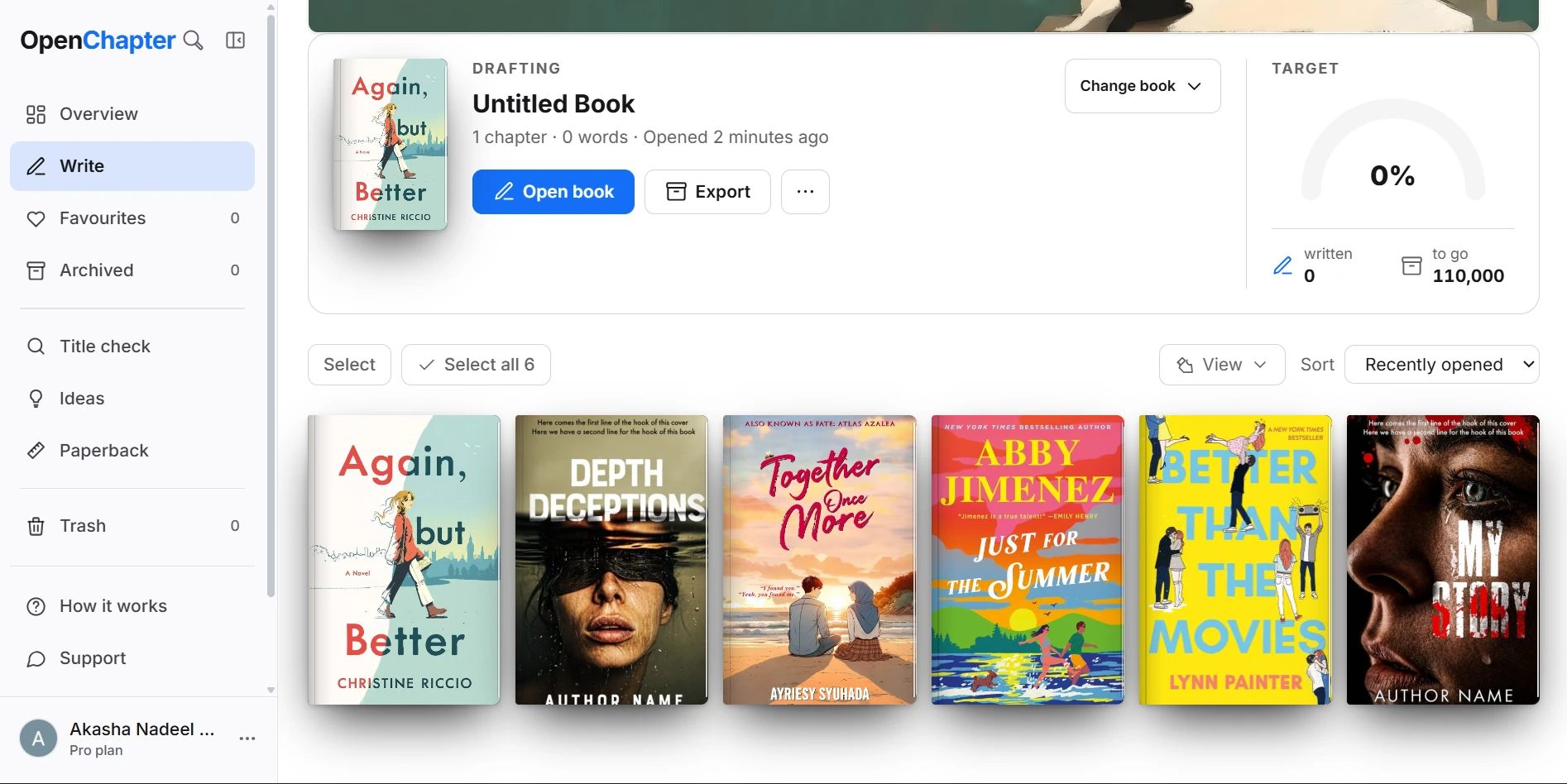
Your shelf

Every book you have, on one shelf

The covers, the counts and where you left off, on the screen you land on.

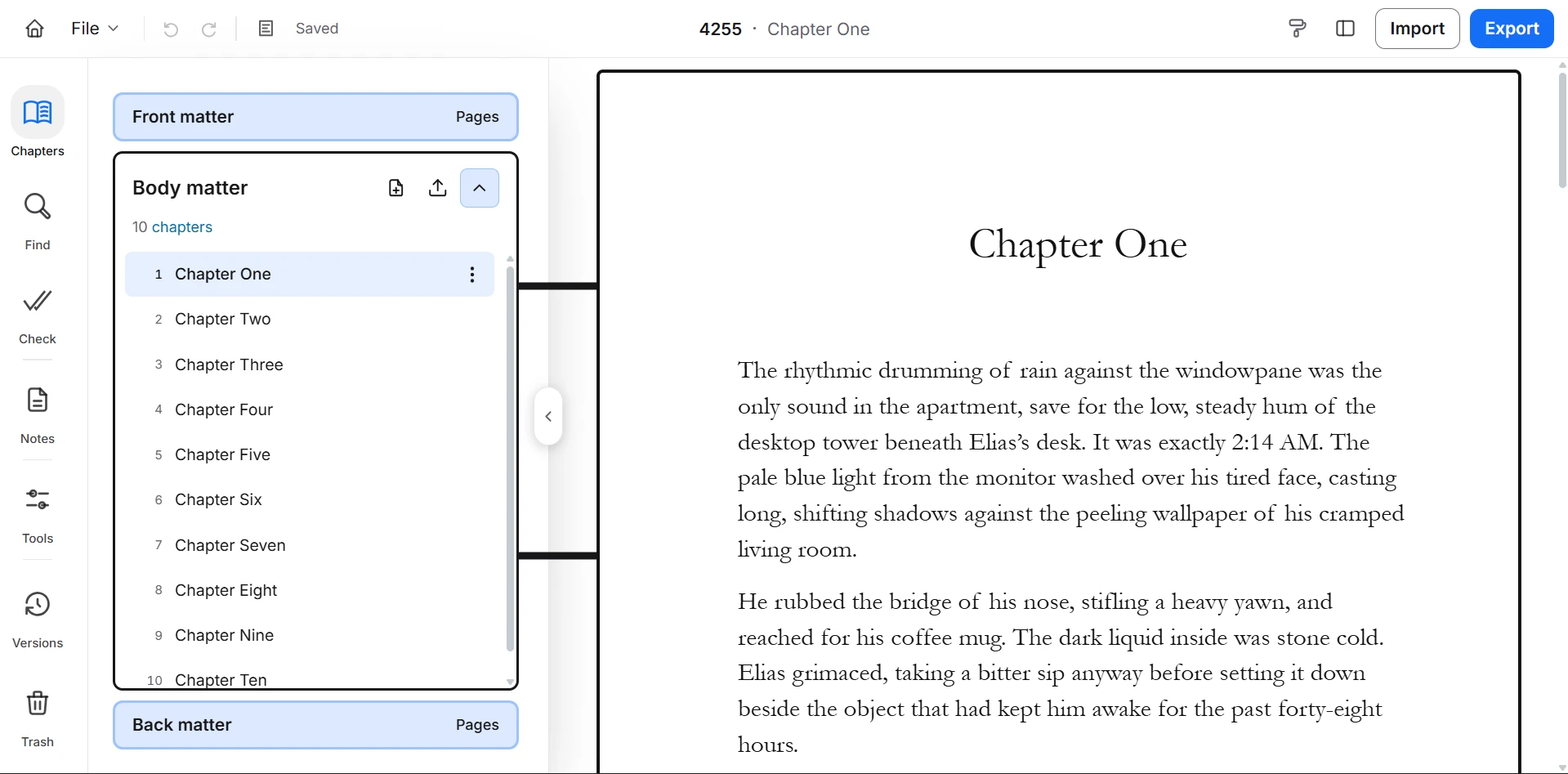
The editor

A chapter at a time, and nothing else on the screen

Prose set on a real page, saved as you type, with your last 8 versions one press away.

Import

Bring the manuscript you already have

5 formats in, split into chapters, with what survived the trip named before anything is added.

The assistant

Ask about the chapter you are on

It reads the chapter and answers about it. On a paid plan it can offer a passage for the page — you see exactly what would change before it goes in, and one undo takes it back.

The export

The file is the point

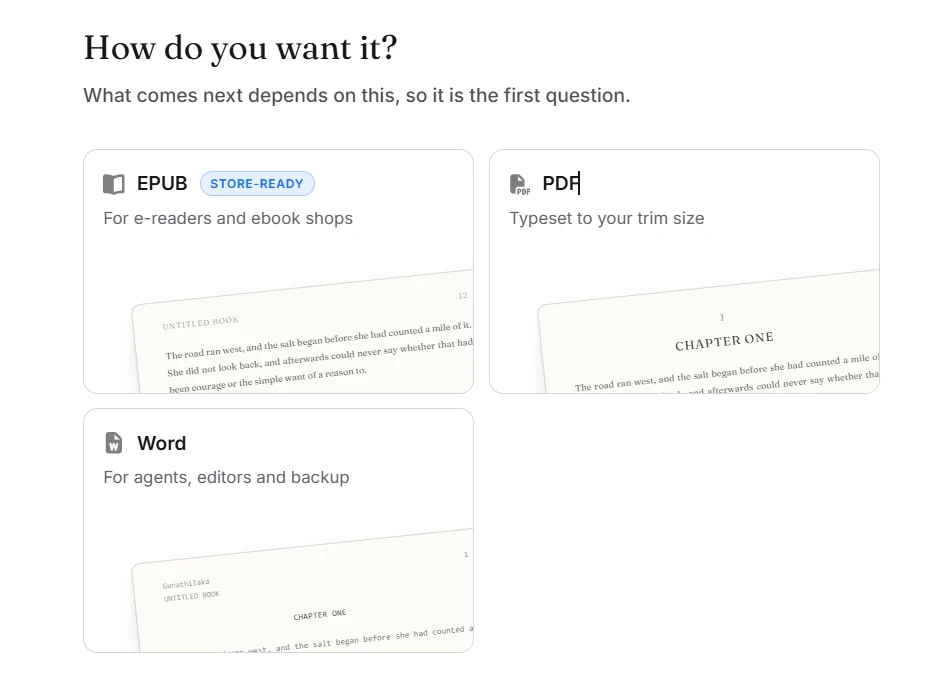
A wizard that asks what a file needs, then hands you one, bound in a book's own order.

Word
The .docx an agent or an editor asks for. Built in your browser.
EPUB
The file the ebook shops take, checked against EPUBCheck at zero errors. Built in your browser.
PDF
Typeset to the trim size you chose. Not print-ready in the trade sense: no bleed, no crop marks.

Loved by authors & writers

OpenChapter continues to amaze me every day.

Jhonata Teixeira

Jhonata Teixeira

Fantasy & Sci-Fi Author

The most interesting part of OpenChapter is just how perfectly it makes writing in the cloud just work.

Álvaro Mateut

Álvaro Mateut

Independent Publisher

Its dramatically improved my experience of sharing ideas and manuscript drafts.

Elena Rostova

Elena Rostova

Fiction Writer & Editor

Seriously, OpenChapter is amazing.

Maya Vance

Maya Vance

Non-Fiction Author

It's a great experience and I miss some of its features when writing elsewhere.

Sarah Jenkins

Sarah Jenkins

Historical Fiction Author

The new OpenChapter is the first online editor I can see myself using to build a full project.

Grace Chen

Grace Chen

Biographer & Essayist

Start free. Pay when the book is going out.

Four plans, two cycles, and nothing held hostage. Every export format is free, on every plan, for good.

Free

$0

No card needed

Best for finding out if this is your tool.

What you get

  • 5 books, free for good
  • Unlimited chapters and words
  • Every export format — Word, EPUB, PDF
  • Sync across devices
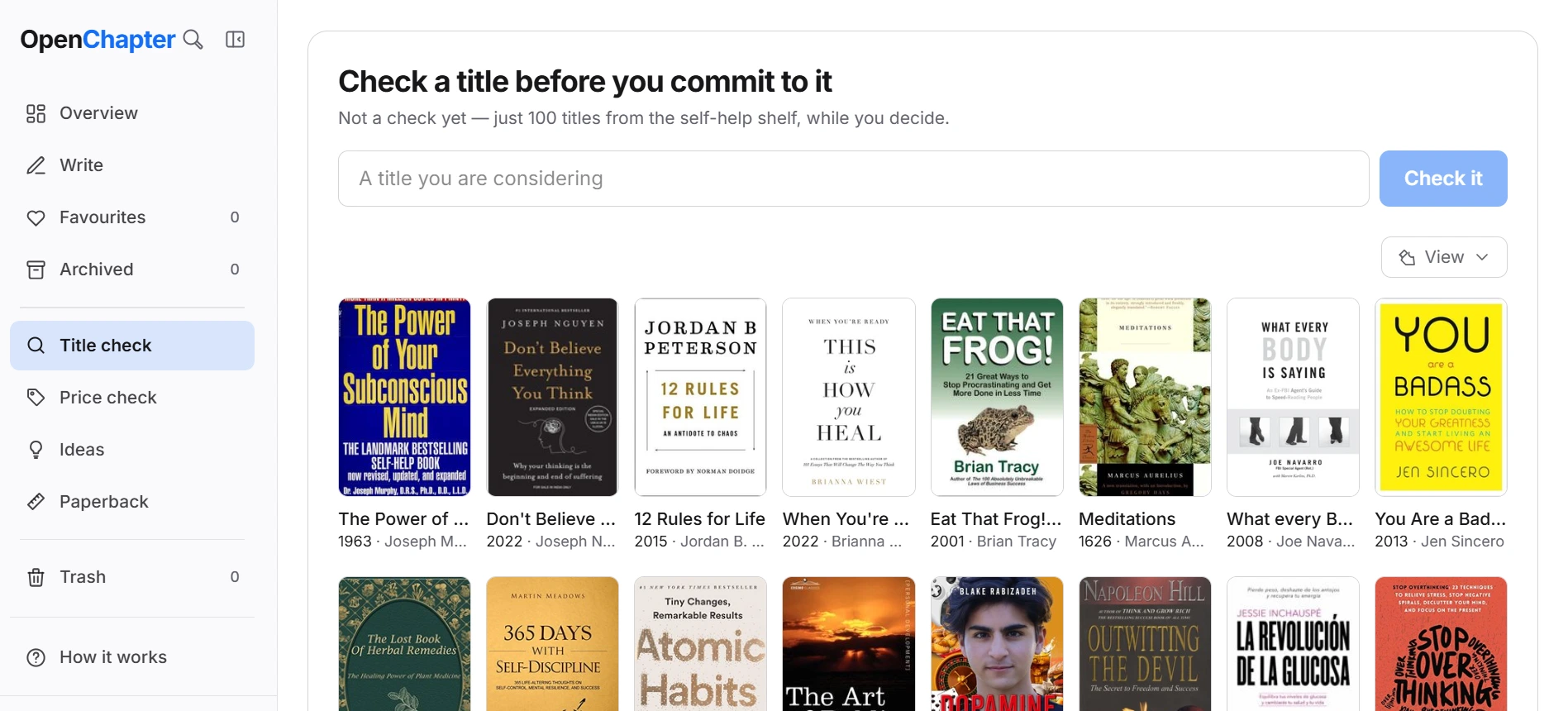
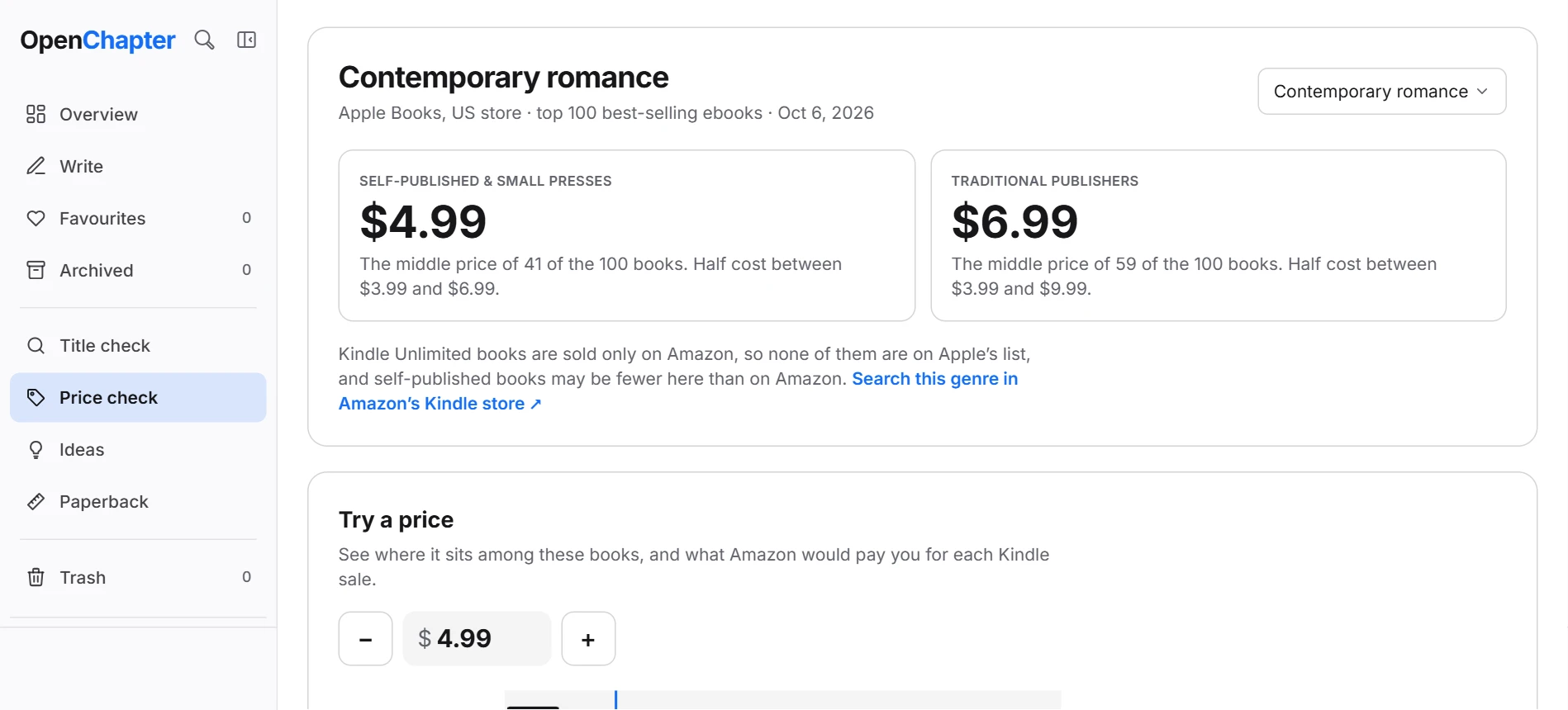
  • Title and consistency checks
New writers only

Starter Pass

$0.99

Charged once, never renews

Try Draft and the assistant for 30 days.

What you get

  • 400 credits to spend
  • The assistant can write into the chapter
  • All three models
  • Everything in Free
  • 30 days, then the credits lapse
40Quick
or 
13Careful
or 
4Deep

Draft

$5.98

$71.82 billed annually

Best for finishing the book you are on.

What you get

  • 2,000 credits a month
  • Unlimited books
  • The assistant can write into the chapter
  • Everything in Free
  • All three models
200Quick
or 
66Careful
or 
20Deep
Most chosen

Writer

$11.25

$134.99 billed annually

Best for a novelist with a schedule.

What you get

  • 5,000 credits a month
  • Everything in Draft
  • All three models
  • Every export format
500Quick
or 
166Careful
or 
50Deep

Studio

$22.49

$269.82 billed annually

Best for a series, and heavy AI use.

What you get

  • 10,000 credits a month
  • Everything in Writer
  • All three models
  • Every export format
1,000Quick
or 
333Careful
or 
100Deep
What each plan includes, compared line by line
FeatureFreeDraftWriterStudio
Writing
Books5 books5 booksUnlimitedUnlimitedUnlimitedUnlimitedUnlimitedUnlimited
Chapters and wordsUnlimitedUnlimitedUnlimitedUnlimitedUnlimitedUnlimitedUnlimitedUnlimited
Autosave and syncIncludedIncludedIncludedIncluded
The assistant
Writing assistantNot includedIncludedIncludedIncluded
Credits a monthNot included2,0002,0005,0005,00010,00010,000
Replies a monthNot included200 Quick · 66 Careful · 20 Deep200 Quick · 66 Careful · 20 Deep500 Quick · 166 Careful · 50 Deep500 Quick · 166 Careful · 50 Deep1000 Quick · 333 Careful · 100 Deep1000 Quick · 333 Careful · 100 Deep
Writes into your chapterNot includedIncludedIncludedIncluded
Publishing
ExportWord, EPUB, PDFWord, EPUB, PDFWord, EPUB, PDFWord, EPUB, PDFWord, EPUB, PDFWord, EPUB, PDFWord, EPUB, PDFWord, EPUB, PDF
Title check3 a day3 a dayUnlimitedUnlimitedUnlimitedUnlimitedUnlimitedUnlimited
Consistency checkIncludedIncludedIncludedIncluded

Cancel from your billing page at any time; a paid plan runs to the end of the period you have paid for. Refunds within 7 days.

The questions worth asking first

Including the ones with an inconvenient answer. Ask if yours is missing.

Start writing free

Most common

Do I have to pay to get my book out?

No. Word, EPUB and PDF are all on the free plan, with no limit on how often. A .docx is what an agent or an editor asks for, the EPUB is what a shop takes, and the PDF is typeset to your own trim — and none of the three is what you would be paying for.

Is the EPUB actually valid?

Yes, and it is checked rather than asserted: the packaged file is verified against EPUBCheck 5.3 for EPUB 3.3 at zero errors and zero warnings, for a full book and a bare one. A reflowable book also states no fixed type size and no body typeface, because the reader picks those — which is what both Apple’s and Amazon’s own guidance asks for.

Is the PDF print-ready?

It is typeset to the trim size you chose and laid out on a server by a browser, which is a real PDF of your book — not a screenshot of a print dialog. It is not print-ready in the trade sense: no bleed, no crop marks, no CMYK separation, no embedded colour profile. If a printer asks you for those, this file is not yet the file they want.

What happens to my books if I stop paying?

Nothing is taken away and nothing is locked. Your books stay where they are, you keep writing in all of them, and every export format goes on working. The assistant is what stops — it runs on credits and a free account is granted none — and the shelf goes back to holding 5 books, with the rest kept safe and read-only rather than deleted.

Can I get my work out if I leave?

That is the point of the export screen existing on the free plan. Every book comes out as a .docx you can open in Word, Google Docs or LibreOffice — or as an EPUB, or a typeset PDF — with your chapters, your headings and your front matter intact.

Do I need an account?

To sync across devices and to buy Pro, yes. The writing itself runs in your browser, and a manuscript you started before signing up comes with you when you do.

Can I get a refund?

Within 7 days of a charge, yes — the terms are on the refunds page and one person answers contact@openchapterapp.com.

Start here.
Leave with the file.

Import the manuscript you already have, or start on a blank chapter. Either way the file at the end is yours.